
Features
Live TV, movies, shows, and playback — built for the remote.
Explore the features that turn a compatible TV source into a polished living-room experience: Guide browsing, discovery, recording, timeshift, playback control, and customization.
Explore IPTuner
Live TV & Guide
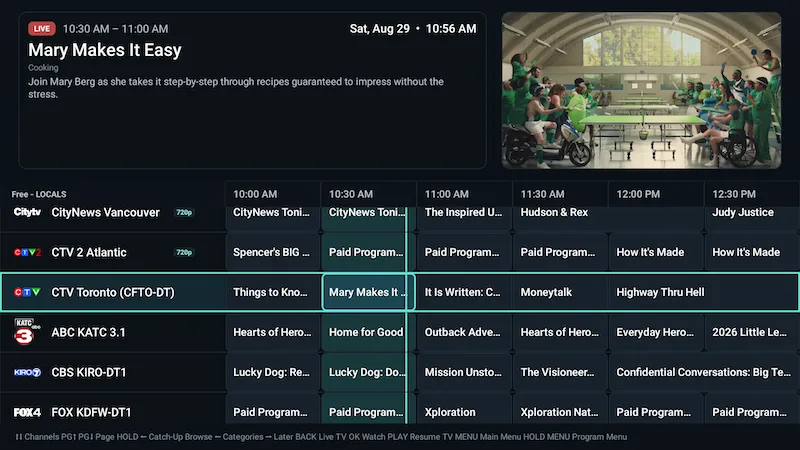
Browse what’s on without losing your place.
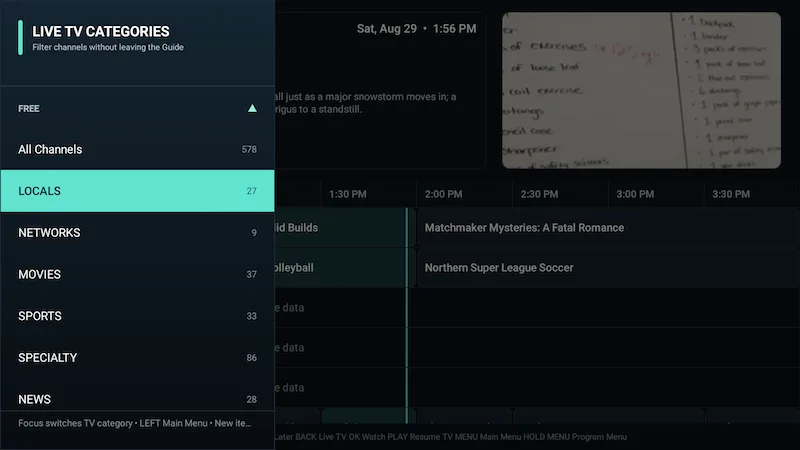
Move through channels, categories, Favorites, recent channel History, current programmes, and retained historical EPG data in a Guide designed for the D-pad.
- Current programme information and quality/status presentation.
- Favorites, category browsing, and recent channel History.
- Recording indicators, reminders, and programme actions where supported.
- Browse retained historical Guide data while keeping the current playback experience intact.
Movies & Shows
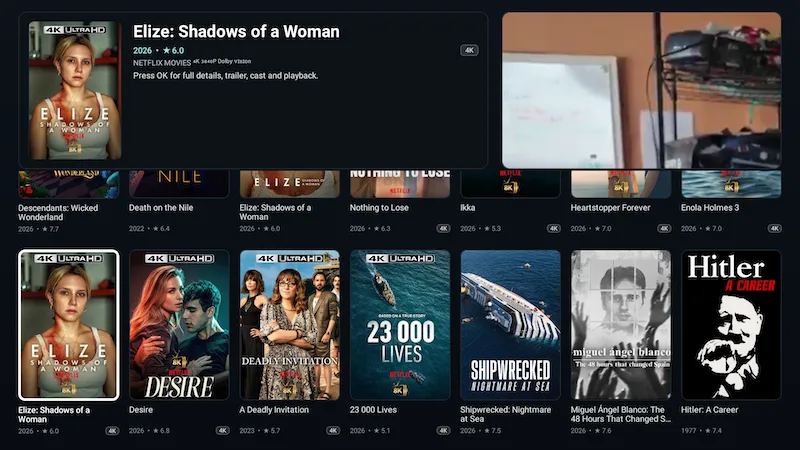
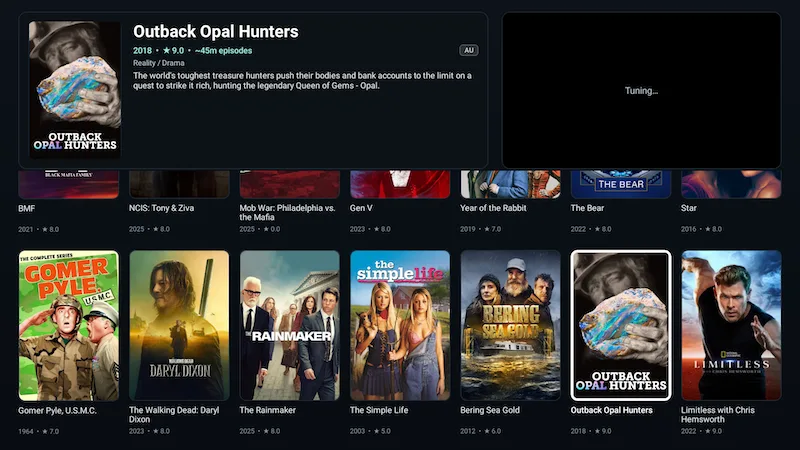
Movies and shows that feel at home on the TV.
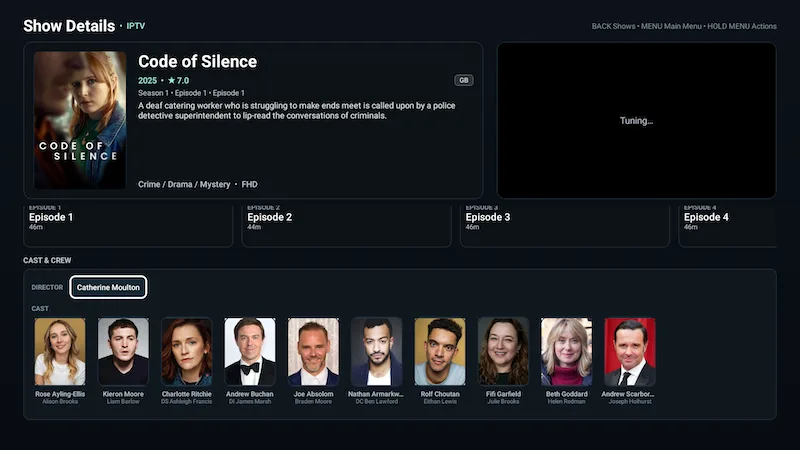
Browse provider Movies and Shows with Continue Watching, Watchlist, details, seasons, episodes, playback progress, resume, and cast/person discovery — without switching to a different interaction model.
Search & discovery
Search across television, movies, and shows.
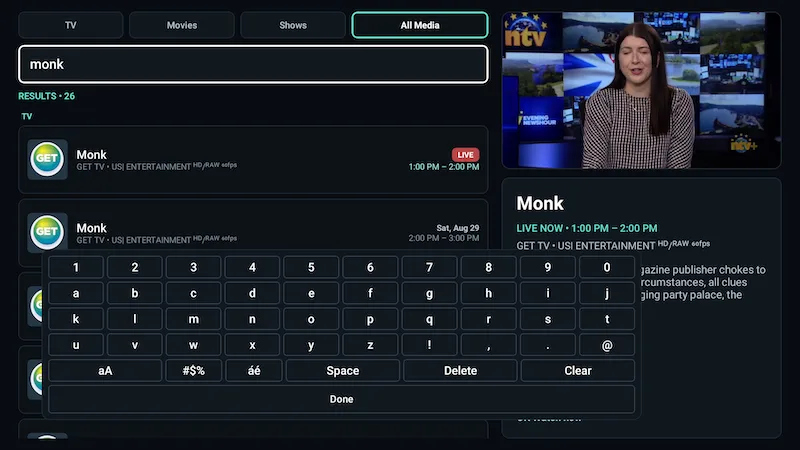
Unified Search works across local EPG and VOD data, with scopes for TV, Movies, Shows, or All Media and person/cast discovery into related titles.
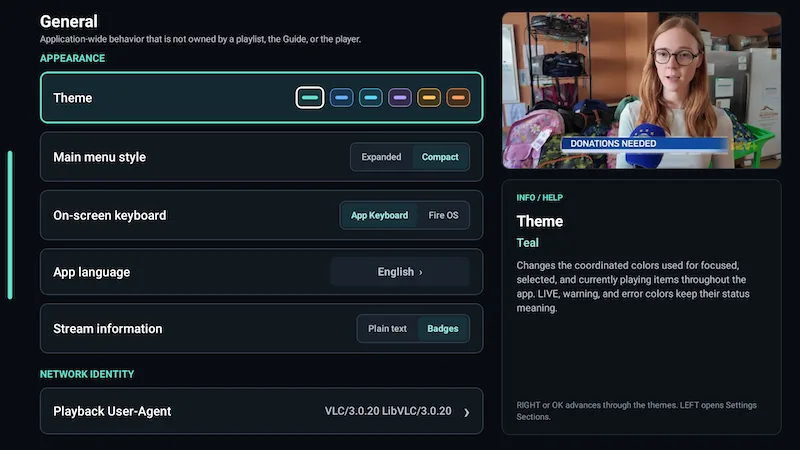
Choose IPTuner’s TV-focused keyboard or the Fire OS/system keyboard in Settings.
Recording, reminders & timeshift
More control over Live TV.
REC
Record now or schedule it
Immediate and scheduled recordings, configurable start/end padding, recording playback, management, and local storage support.
TS
Pause and rewind when available
Timeshift can be Off, On demand, or Always. IPTuner reports honestly when the rolling history for a particular stream is not ready.
USB
Local storage choices
Use app storage or direct USB PVR on Fire TV. Compatible non-Fire Android TV devices can also expose a custom recording folder.
Playback & picture
Playback controls that adapt to your setup.
Tune bandwidth and buffer behavior, frame-rate matching, HDR compatibility, audio output, language preferences, subtitles, aspect ratio, and current-session tracks when your setup calls for it.
- Bandwidth: Automatic, Low, Medium, High.
- Auto frame rate: Off, Seamless only, Always.
- HDR: Automatic, Convert HDR to SDR, Always preserve HDR.
- Audio output: Auto, PCM, Passthrough.
- Aspect ratio: Fit, Fill/Crop, Stretch.
Availability of HDR, passthrough, timeshift and other media capabilities depends on the device, display chain and source.
TV-first navigation
Designed around the buttons already in your hand.
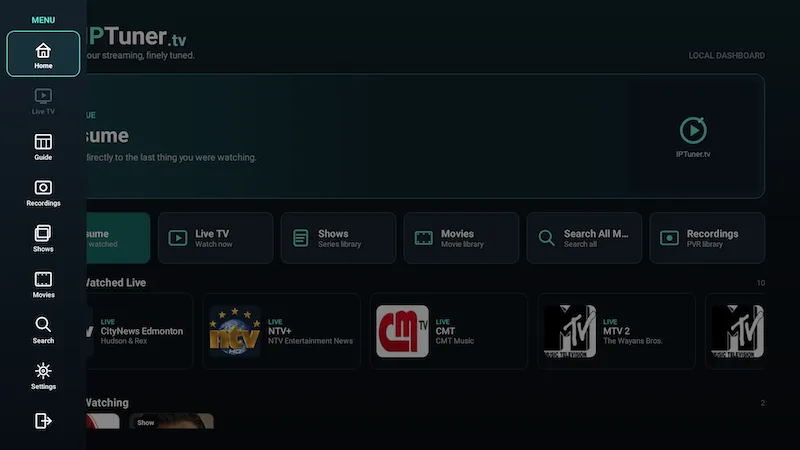
The default remote model keeps common actions predictable while still exposing context actions, favorites, watchlists, and playback controls.
Main Navigation
Context Actions
Select / Playback Controls
Favorite / Watchlist where supported
Screen-first navigation
Clean app exit
Make it yours
Useful customization without turning the TV into a control panel.
Appearance
Six curated accents, compact/list Main Navigation, Guide layout and density, status style, overlay transparency, channel numbering and preview preferences.
Content management
Enable or disable sources, order playlists, refresh Live/EPG/VOD data, manage categories, restore hidden channels, and apply non-destructive provider-name cleanup.
Language
Follow Device, English and French interface options, plus preferred media-language settings where matching tracks are available.
Your streaming, finely tuned.
Bring your compatible TV source into a player designed for the remote, the Guide, and everyday watching.