Devices
Built for the living room.
IPTuner is designed for Fire TV and Android TV-class devices, including Google TV interfaces, with remote-first navigation and playback options that respect the capabilities of your hardware.
Living-room platforms
A consistent experience across supported TV-class Android devices.
The current product targets Fire TV and Android TV-class devices, including Google TV interfaces built on Android TV. Hardware capabilities still determine which advanced media and storage features are available.
Fire TV
A primary validation platform with Fire TV remote behavior, app storage, and direct USB PVR support where the device/storage setup supports it.
Android TV
Remote-first Android TV navigation with platform-aware media, storage and keyboard behavior.
Google TV
Supported as part of the Android TV platform family, subject to the device’s Android version, codecs, display and storage capabilities.
Platform-aware where it matters.
Some capabilities depend on Android version, hardware codecs, connected display/audio equipment, storage, remote keys, and the media source itself.
| Capability | Fire TV | Other Android TV / Google TV |
|---|---|---|
| TV remote navigation | Supported | Supported; available keys vary by remote |
| App storage recording | Supported | Supported |
| Direct USB PVR | Supported when a compatible USB target is present | Device/storage dependent |
| Custom recording folder | Generic directory-tree picker intentionally disabled | Available when a compatible document provider is exposed |
| HDR compatibility modes | Available; actual output depends on source/display/device support | Available; actual output depends on source/display/device support |
| Audio passthrough | Compatibility-driven | Compatibility-driven |
Playback & picture
Playback controls that adapt to your setup.
Tune bandwidth and buffer behavior, frame-rate matching, HDR compatibility, audio output, language preferences, subtitles, aspect ratio, and current-session tracks when your setup calls for it.
- Bandwidth: Automatic, Low, Medium, High.
- Auto frame rate: Off, Seamless only, Always.
- HDR: Automatic, Convert HDR to SDR, Always preserve HDR.
- Audio output: Auto, PCM, Passthrough.
- Aspect ratio: Fit, Fill/Crop, Stretch.
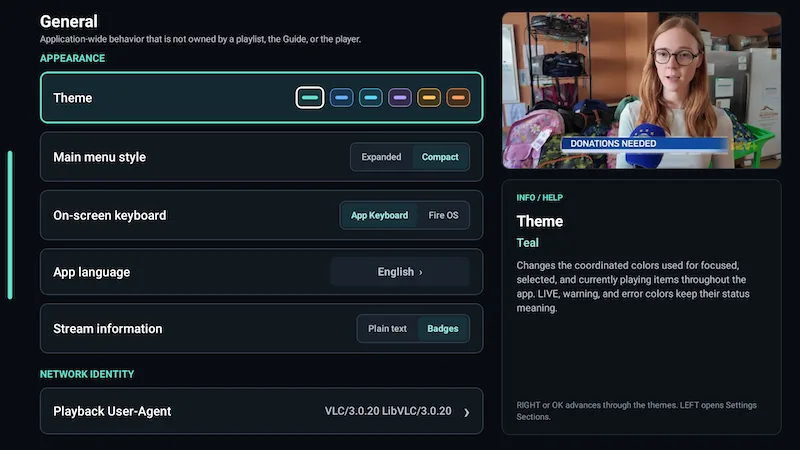
Availability of HDR, passthrough, timeshift and other media capabilities depends on the device, display chain and source.
Questions
Straight answers before you install.
Learn what IPTuner is, what you need to use it, which devices it targets, and how playback, recording, timeshift and provider data work.
Your streaming, finely tuned.
Bring your compatible TV source into a player designed for the remote, the Guide, and everyday watching.